 c79b6dcf52
Co-authored-by: pre-commit-ci[bot] <66853113+pre-commit-ci[bot]@users.noreply.github.com>
154 lines
7.3 KiB
Markdown
154 lines
7.3 KiB
Markdown
# Using the Snapshotter
|
|
|
|
This guide will help you walk through how to use [MapSnapshotter](https://maplibre.org/maplibre-native/android/api/-map-libre%20-native%20-android/org.maplibre.android.snapshotter/-map-snapshotter/index.html).
|
|
|
|
## Map Snapshot with Local Style
|
|
|
|
{{ activity_source_note("MapSnapshotterLocalStyleActivity.kt") }}
|
|
|
|
To get started we will show how to use the map snapshotter with a local style.
|
|
|
|
<figure markdown="span">
|
|
{ width="300" }
|
|
</figure>
|
|
|
|
Add the [source code of the Demotiles style](https://github.com/maplibre/demotiles/blob/gh-pages/style.json) as `demotiles.json` to the `res/raw` directory of our app[^1]. First we will read this style:
|
|
|
|
[^1]: See [App resources overview](https://developer.android.com/guide/topics/resources/providing-resources) for this and other ways you can provide resources to your app.
|
|
|
|
```kotlin
|
|
--8<-- "MapLibreAndroidTestApp/src/main/java/org/maplibre/android/testapp/activity/snapshot/MapSnapshotterLocalStyleActivity.kt:readStyleJson"
|
|
```
|
|
|
|
Next, we configure the MapSnapshotter, passing height and width, the style we just read and the camera position:
|
|
|
|
```kotlin
|
|
--8<-- "MapLibreAndroidTestApp/src/main/java/org/maplibre/android/testapp/activity/snapshot/MapSnapshotterLocalStyleActivity.kt:createMapSnapshotter"
|
|
```
|
|
|
|
Lastly we use the `.start()` method to create the snapshot, and pass callbacks for when the snapshot is ready or for when an error occurs.
|
|
|
|
```kotlin
|
|
--8<-- "MapLibreAndroidTestApp/src/main/java/org/maplibre/android/testapp/activity/snapshot/MapSnapshotterLocalStyleActivity.kt:createSnapshot"
|
|
```
|
|
|
|
## Show a Grid of Snapshots
|
|
|
|
{{ activity_source_note("MapSnapshotterActivity.kt") }}
|
|
|
|
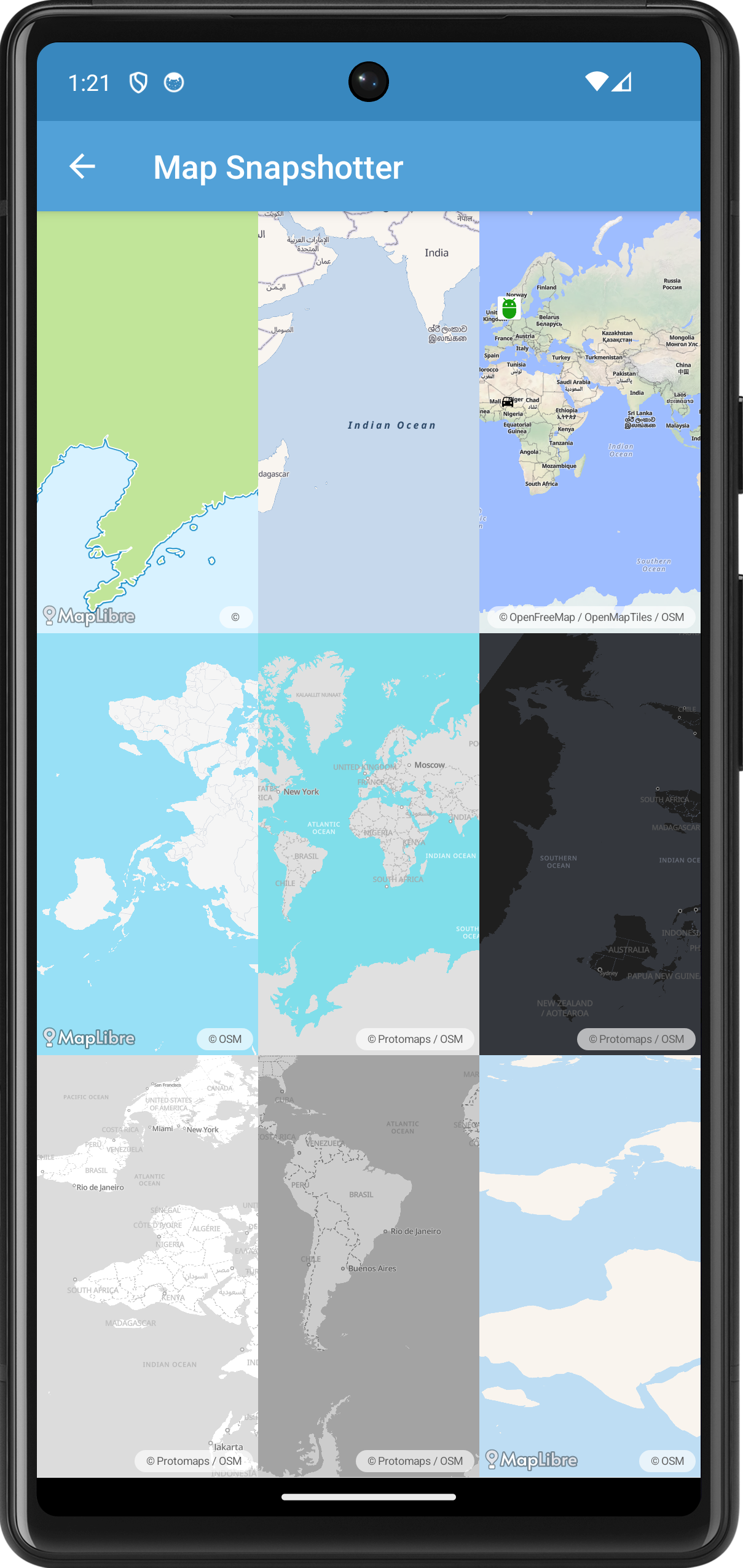
In this example, we demonstrate how to use the `MapSnapshotter` to create multiple map snapshots with different styles and camera positions, displaying them in a grid layout.
|
|
|
|
<figure markdown="span">
|
|
{ width="300" }
|
|
</figure>
|
|
|
|
First we create a [`GridLayout`](https://developer.android.com/reference/kotlin/android/widget/GridLayout) and a list of `MapSnapshotter` instances. We create a `Style.Builder` with a different style for each cell in the grid.
|
|
|
|
```kotlin
|
|
--8<-- "MapLibreAndroidTestApp/src/main/java/org/maplibre/android/testapp/activity/snapshot/MapSnapshotterActivity.kt:styleBuilder"
|
|
```
|
|
|
|
Next we create a `MapSnapshotter.Options` object to customize the settings of each snapshot(ter).
|
|
|
|
```kotlin
|
|
--8<-- "MapLibreAndroidTestApp/src/main/java/org/maplibre/android/testapp/activity/snapshot/MapSnapshotterActivity.kt:mapSnapShotterOptions"
|
|
```
|
|
|
|
For some rows we randomize the visible region of the snapshot:
|
|
|
|
```kotlin
|
|
--8<-- "MapLibreAndroidTestApp/src/main/java/org/maplibre/android/testapp/activity/snapshot/MapSnapshotterActivity.kt:setRegion"
|
|
```
|
|
|
|
For some columns we randomize the camera position:
|
|
|
|
```kotlin
|
|
--8<-- "MapLibreAndroidTestApp/src/main/java/org/maplibre/android/testapp/activity/snapshot/MapSnapshotterActivity.kt:setCameraPosition"
|
|
```
|
|
|
|
In the last column of the first row we add two bitmaps. See the next example for more details.
|
|
|
|
```kotlin
|
|
--8<-- "MapLibreAndroidTestApp/src/main/java/org/maplibre/android/testapp/activity/snapshot/MapSnapshotterActivity.kt:addMarkerLayer"
|
|
```
|
|
|
|
## Map Snapshot with Bitmap Overlay
|
|
|
|
{{ activity_source_note("MapSnapshotterBitMapOverlayActivity.kt") }}
|
|
|
|
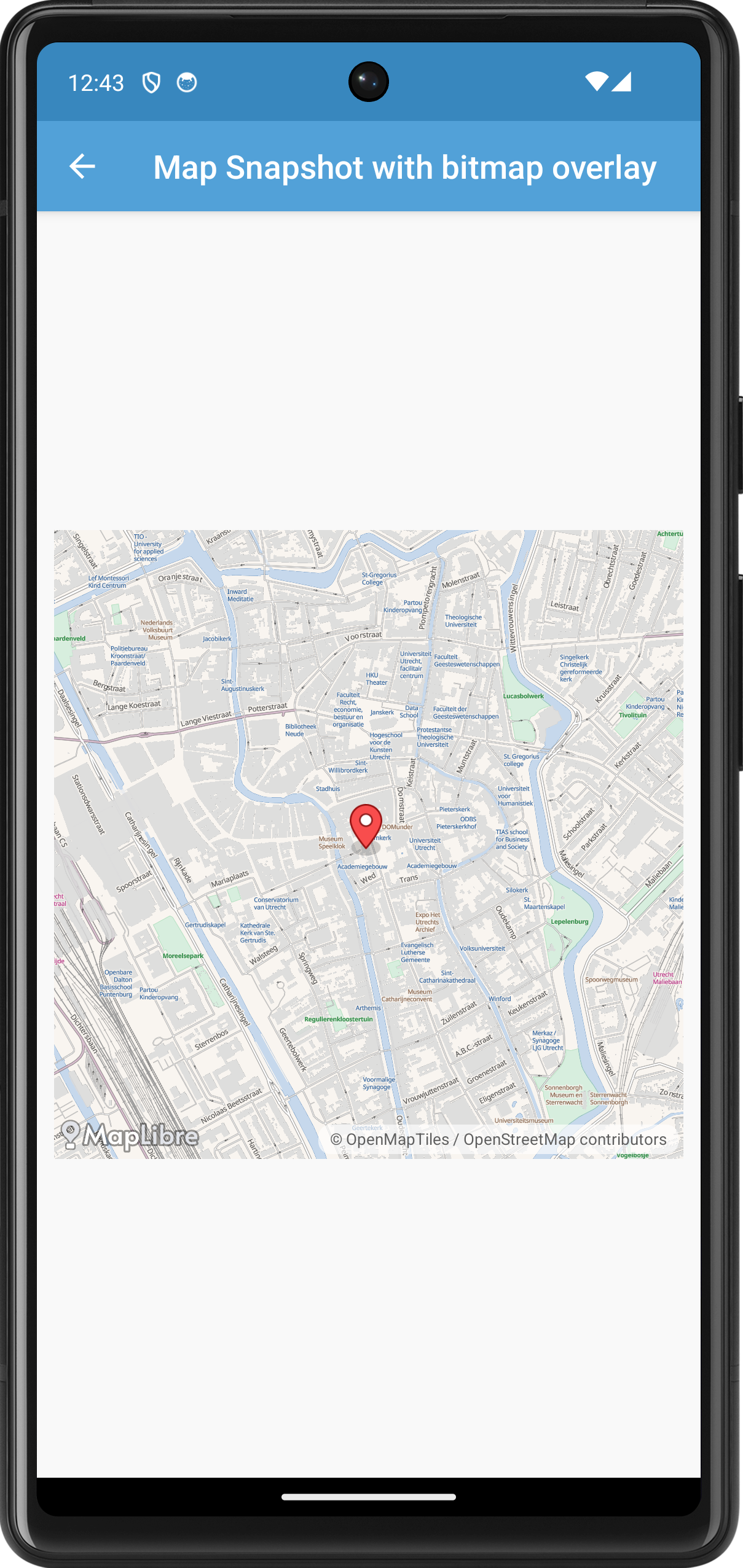
This example adds a bitmap on top of the snapshot. It also demonstrates how you can add a click listener to a snapshot.
|
|
|
|
<figure markdown="span">
|
|
{ width="300" }
|
|
</figure>
|
|
|
|
|
|
```kotlin title="MapSnapshotterBitMapOverlayActivity.kt"
|
|
--8<-- "MapLibreAndroidTestApp/src/main/java/org/maplibre/android/testapp/activity/snapshot/MapSnapshotterBitMapOverlayActivity.kt"
|
|
```
|
|
|
|
## Map Snapshotter with Heatmap Layer
|
|
|
|
{{ activity_source_note("MapSnapshotterHeatMapActivity.kt") }}
|
|
|
|
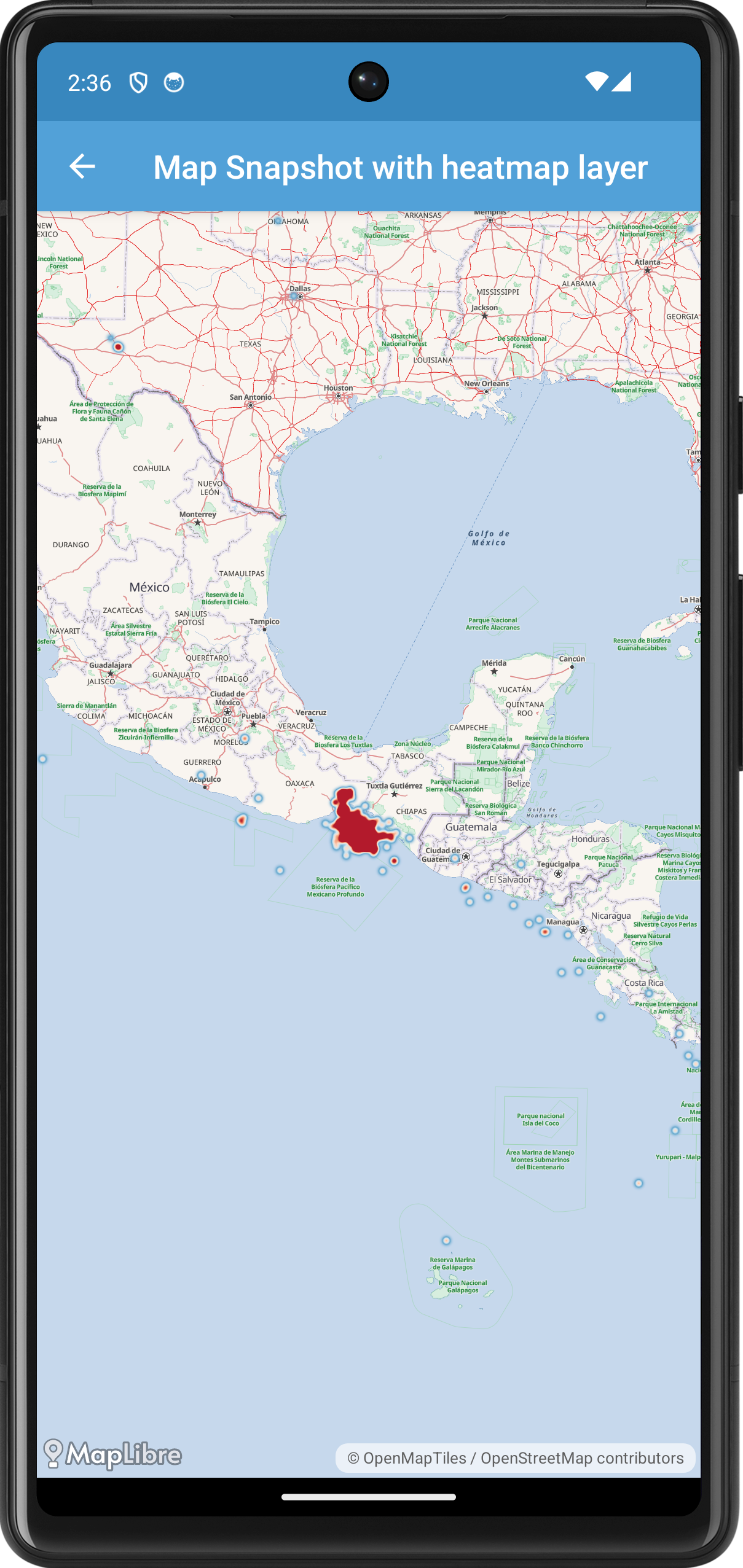
In this example, we demonstrate how to use the `MapSnapshotter` to create a snapshot of a map that includes a heatmap layer. The heatmap represents earthquake data loaded from a GeoJSON source.
|
|
|
|
<figure markdown="span">
|
|
{ width="300" }
|
|
</figure>
|
|
|
|
First, we create the `MapSnapshotterHeatMapActivity` class, which extends `AppCompatActivity` and implements `MapSnapshotter.SnapshotReadyCallback` to receive the snapshot once it's ready.
|
|
|
|
```kotlin
|
|
--8<-- "MapLibreAndroidTestApp/src/main/java/org/maplibre/android/testapp/activity/snapshot/MapSnapshotterHeatMapActivity.kt:class_declaration"
|
|
```
|
|
|
|
In the `onCreate` method, we set up the layout and initialize the `MapSnapshotter` once the layout is ready.
|
|
|
|
```kotlin
|
|
--8<-- "MapLibreAndroidTestApp/src/main/java/org/maplibre/android/testapp/activity/snapshot/MapSnapshotterHeatMapActivity.kt:onCreate"
|
|
```
|
|
|
|
Here, we wait for the layout to be laid out using an `OnGlobalLayoutListener` before initializing the `MapSnapshotter`. We create a `Style.Builder` with a base style (`TestStyles.AMERICANA`), add the earthquake data source, and add the heatmap layer above the "water" layer.
|
|
|
|
The `heatmapLayer` property defines the `HeatmapLayer` used to visualize the earthquake data.
|
|
|
|
```kotlin
|
|
--8<-- "MapLibreAndroidTestApp/src/main/java/org/maplibre/android/testapp/activity/snapshot/MapSnapshotterHeatMapActivity.kt:heatmapLayer"
|
|
```
|
|
|
|
This code sets up the heatmap layer's properties, such as color ramp, weight, intensity, radius, and opacity, using expressions that interpolate based on data properties and zoom level.
|
|
|
|
We also define the `earthquakeSource`, which loads data from a GeoJSON file containing earthquake information.
|
|
|
|
```kotlin
|
|
--8<-- "MapLibreAndroidTestApp/src/main/java/org/maplibre/android/testapp/activity/snapshot/MapSnapshotterHeatMapActivity.kt:earthquakeSource"
|
|
```
|
|
|
|
When the snapshot is ready, the `onSnapshotReady` callback is invoked, where we set the snapshot bitmap to an `ImageView` to display it.
|
|
|
|
```kotlin
|
|
--8<-- "MapLibreAndroidTestApp/src/main/java/org/maplibre/android/testapp/activity/snapshot/MapSnapshotterHeatMapActivity.kt:onSnapshotReady"
|
|
```
|
|
|
|
Finally, we ensure to cancel the snapshotter in the `onStop` method to free up resources.
|
|
|
|
```kotlin
|
|
--8<-- "MapLibreAndroidTestApp/src/main/java/org/maplibre/android/testapp/activity/snapshot/MapSnapshotterHeatMapActivity.kt:onStop"
|
|
```
|
|
|
|
|
|
## Map Snapshotter with Expression
|
|
|
|
{{ activity_source_note("MapSnapshotterWithinExpression.kt") }}
|
|
|
|
In this example the map on top is a live while the map on the bottom is a snapshot that is updated as you pan the map. We style of the snapshot is modified: using a [within](https://maplibre.org/maplibre-style-spec/expressions/#within) expression only POIs within a certain distance to a line is shown. A highlight for this area is added to the map as are various points.
|
|
|
|
<figure markdown="span">
|
|
{ width="300" }
|
|
</figure>
|
|
|
|
```kotlin title="MapSnapshotterWithinExpression.kt"
|
|
--8<-- "MapLibreAndroidTestApp/src/main/java/org/maplibre/android/testapp/activity/turf/MapSnapshotterWithinExpression.kt"
|
|
```
|