 c79b6dcf52
Co-authored-by: pre-commit-ci[bot] <66853113+pre-commit-ci[bot]@users.noreply.github.com>
7.3 KiB
Using the Snapshotter
This guide will help you walk through how to use MapSnapshotter.
Map Snapshot with Local Style
{{ activity_source_note("MapSnapshotterLocalStyleActivity.kt") }}
To get started we will show how to use the map snapshotter with a local style.
Add the source code of the Demotiles style as demotiles.json to the res/raw directory of our app1 . First we will read this style:
--8<-- "MapLibreAndroidTestApp/src/main/java/org/maplibre/android/testapp/activity/snapshot/MapSnapshotterLocalStyleActivity.kt:readStyleJson"
Next, we configure the MapSnapshotter, passing height and width, the style we just read and the camera position:
--8<-- "MapLibreAndroidTestApp/src/main/java/org/maplibre/android/testapp/activity/snapshot/MapSnapshotterLocalStyleActivity.kt:createMapSnapshotter"
Lastly we use the .start() method to create the snapshot, and pass callbacks for when the snapshot is ready or for when an error occurs.
--8<-- "MapLibreAndroidTestApp/src/main/java/org/maplibre/android/testapp/activity/snapshot/MapSnapshotterLocalStyleActivity.kt:createSnapshot"
Show a Grid of Snapshots
{{ activity_source_note("MapSnapshotterActivity.kt") }}
In this example, we demonstrate how to use the MapSnapshotter to create multiple map snapshots with different styles and camera positions, displaying them in a grid layout.
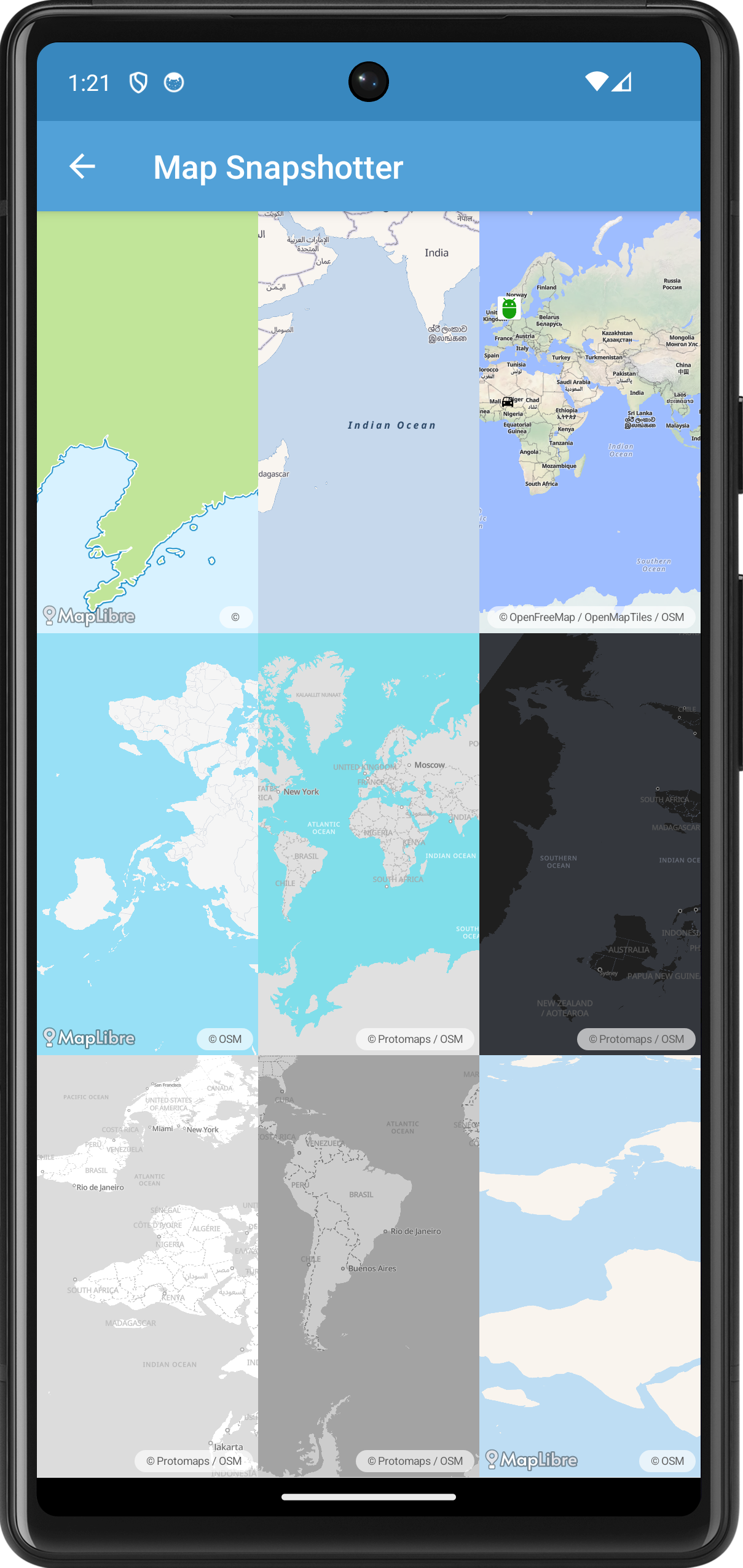
First we create a GridLayout and a list of MapSnapshotter instances. We create a Style.Builder with a different style for each cell in the grid.
--8<-- "MapLibreAndroidTestApp/src/main/java/org/maplibre/android/testapp/activity/snapshot/MapSnapshotterActivity.kt:styleBuilder"
Next we create a MapSnapshotter.Options object to customize the settings of each snapshot(ter).
--8<-- "MapLibreAndroidTestApp/src/main/java/org/maplibre/android/testapp/activity/snapshot/MapSnapshotterActivity.kt:mapSnapShotterOptions"
For some rows we randomize the visible region of the snapshot:
--8<-- "MapLibreAndroidTestApp/src/main/java/org/maplibre/android/testapp/activity/snapshot/MapSnapshotterActivity.kt:setRegion"
For some columns we randomize the camera position:
--8<-- "MapLibreAndroidTestApp/src/main/java/org/maplibre/android/testapp/activity/snapshot/MapSnapshotterActivity.kt:setCameraPosition"
In the last column of the first row we add two bitmaps. See the next example for more details.
--8<-- "MapLibreAndroidTestApp/src/main/java/org/maplibre/android/testapp/activity/snapshot/MapSnapshotterActivity.kt:addMarkerLayer"
Map Snapshot with Bitmap Overlay
{{ activity_source_note("MapSnapshotterBitMapOverlayActivity.kt") }}
This example adds a bitmap on top of the snapshot. It also demonstrates how you can add a click listener to a snapshot.
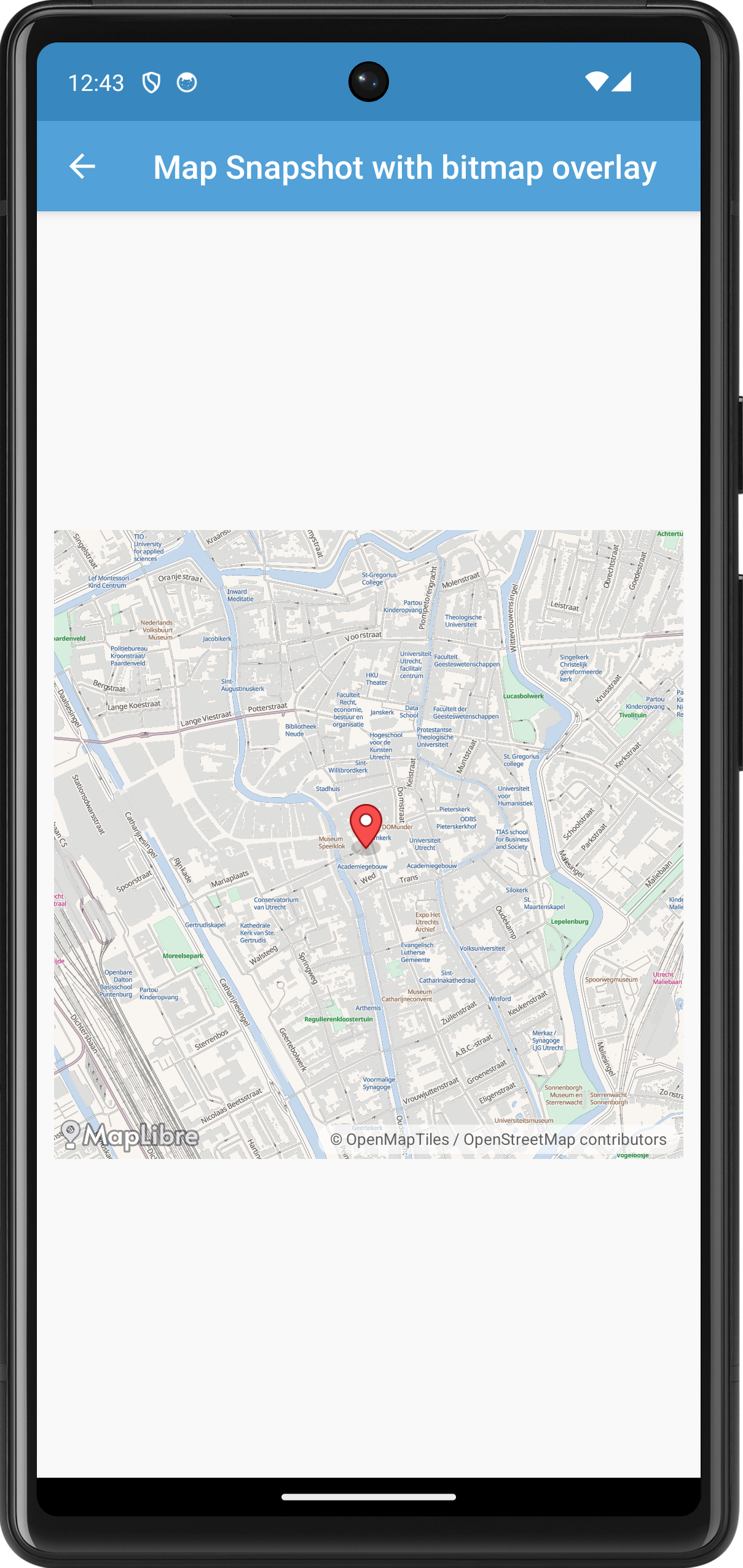
--8<-- "MapLibreAndroidTestApp/src/main/java/org/maplibre/android/testapp/activity/snapshot/MapSnapshotterBitMapOverlayActivity.kt"
Map Snapshotter with Heatmap Layer
{{ activity_source_note("MapSnapshotterHeatMapActivity.kt") }}
In this example, we demonstrate how to use the MapSnapshotter to create a snapshot of a map that includes a heatmap layer. The heatmap represents earthquake data loaded from a GeoJSON source.
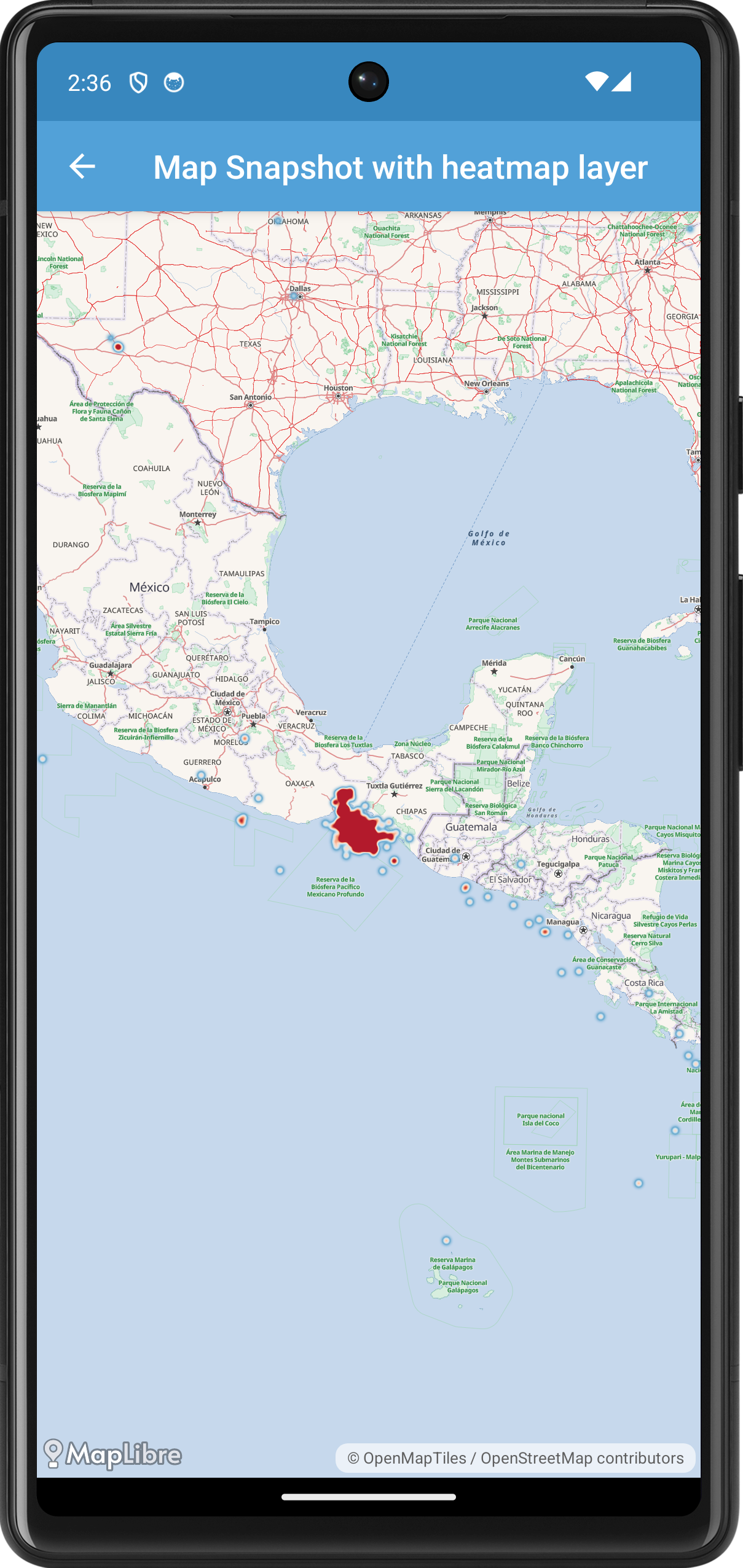
First, we create the MapSnapshotterHeatMapActivity class, which extends AppCompatActivity and implements MapSnapshotter.SnapshotReadyCallback to receive the snapshot once it's ready.
--8<-- "MapLibreAndroidTestApp/src/main/java/org/maplibre/android/testapp/activity/snapshot/MapSnapshotterHeatMapActivity.kt:class_declaration"
In the onCreate method, we set up the layout and initialize the MapSnapshotter once the layout is ready.
--8<-- "MapLibreAndroidTestApp/src/main/java/org/maplibre/android/testapp/activity/snapshot/MapSnapshotterHeatMapActivity.kt:onCreate"
Here, we wait for the layout to be laid out using an OnGlobalLayoutListener before initializing the MapSnapshotter. We create a Style.Builder with a base style (TestStyles.AMERICANA), add the earthquake data source, and add the heatmap layer above the "water" layer.
The heatmapLayer property defines the HeatmapLayer used to visualize the earthquake data.
--8<-- "MapLibreAndroidTestApp/src/main/java/org/maplibre/android/testapp/activity/snapshot/MapSnapshotterHeatMapActivity.kt:heatmapLayer"
This code sets up the heatmap layer's properties, such as color ramp, weight, intensity, radius, and opacity, using expressions that interpolate based on data properties and zoom level.
We also define the earthquakeSource, which loads data from a GeoJSON file containing earthquake information.
--8<-- "MapLibreAndroidTestApp/src/main/java/org/maplibre/android/testapp/activity/snapshot/MapSnapshotterHeatMapActivity.kt:earthquakeSource"
When the snapshot is ready, the onSnapshotReady callback is invoked, where we set the snapshot bitmap to an ImageView to display it.
--8<-- "MapLibreAndroidTestApp/src/main/java/org/maplibre/android/testapp/activity/snapshot/MapSnapshotterHeatMapActivity.kt:onSnapshotReady"
Finally, we ensure to cancel the snapshotter in the onStop method to free up resources.
--8<-- "MapLibreAndroidTestApp/src/main/java/org/maplibre/android/testapp/activity/snapshot/MapSnapshotterHeatMapActivity.kt:onStop"
Map Snapshotter with Expression
{{ activity_source_note("MapSnapshotterWithinExpression.kt") }}
In this example the map on top is a live while the map on the bottom is a snapshot that is updated as you pan the map. We style of the snapshot is modified: using a within expression only POIs within a certain distance to a line is shown. A highlight for this area is added to the map as are various points.
--8<-- "MapLibreAndroidTestApp/src/main/java/org/maplibre/android/testapp/activity/turf/MapSnapshotterWithinExpression.kt"
-
See App resources overview for this and other ways you can provide resources to your app. ↩︎